Platform
One platform. Every back-office automation.
The AgentsLab Platform is the operational core that AI coworkers run on. Every repetitive back-office process, from intake to action in your systems, fully automated. With humans at the wheel where it matters.
…
Cases processed this year
0+
Customers in production
0%
Expand
~0 wk
Time-to-live
The thinking process
The engine under every AI coworker.
Intake, extraction, validation, action. The same four-step pipeline runs under every automated process. Process-agnostic. The configuration is unique per process.
Intake
Monitors email, APIs, folders and uploads. Classifies and routes every incoming case automatically.
Extraction
Reads the full input and extracts every relevant data point. Understands context, regardless of format or language.
Validation
Checks against business rules: matching, validation, enrichment, routing. Escalates to a human when in doubt.
Action
Creates records, archives documents, sends notifications and triggers follow-up processes in the target system.
The simulator on the right shows the pipeline live for three process types.
Invoice F-2026-1847, Van Leeuwen Buizen B.V.
facturatie@vanleeuwen.nl
From pipeline to practice
Every flow gets its own configuration
Inside the four steps, every process carries its own set of validations, checks, action queues and monitor queues. Five examples below. Click a step for details.
Supplier invoices with three-way matching · Click a step for details.
And much more
Above you just saw five of our flows.
These processes also run in production, each with the same four steps and its own configuration.
Any repetitive back-office process with a pattern can be configured. Multiple processes can run on the same platform.
Management Dashboard
One dashboard for every process
Where teams and managers run the daily operation. Everything the AI coworker processes is visible, traceable and adjustable. No black box.
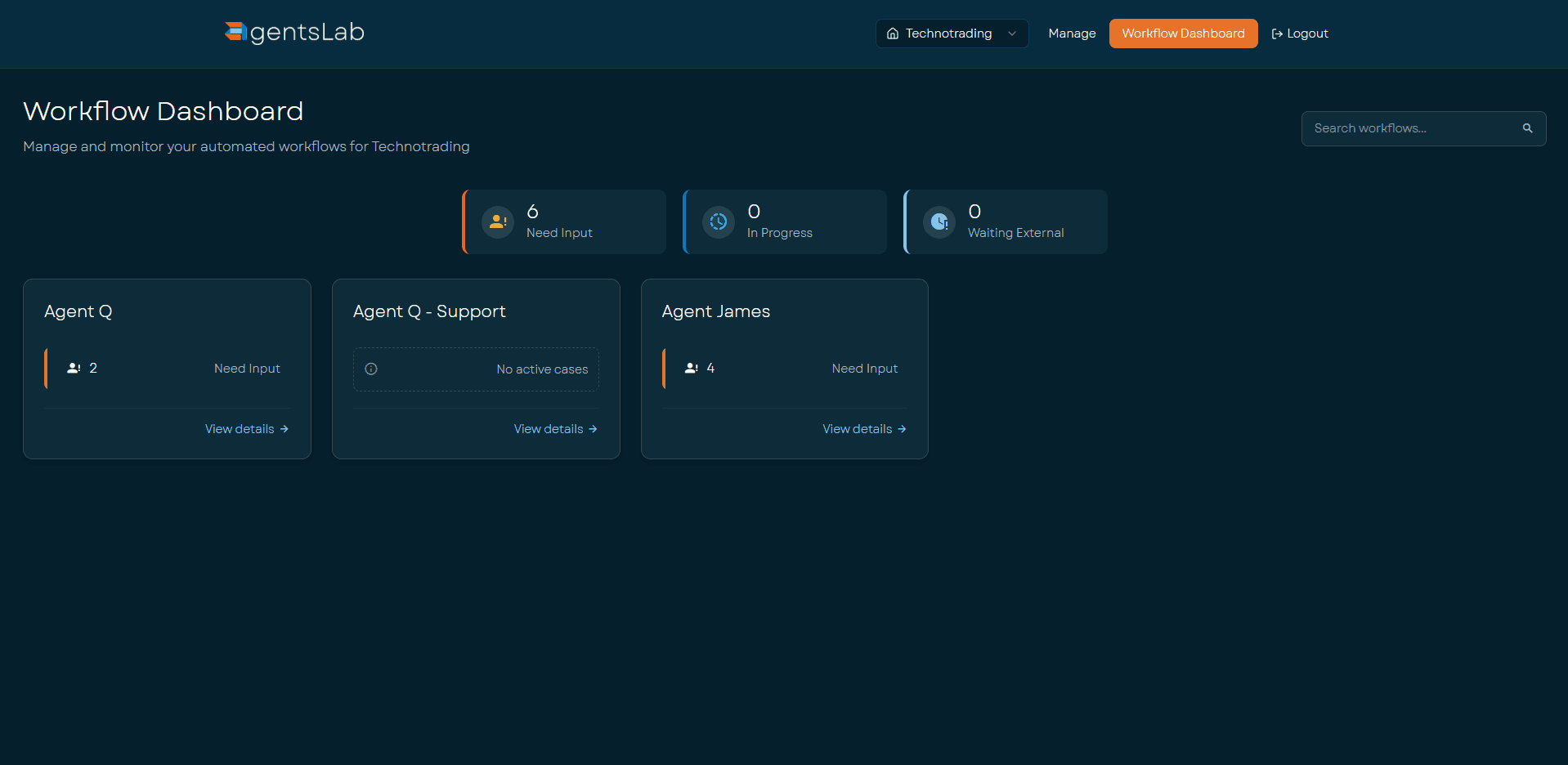
Workflow Dashboard
Every AI coworker per customer side by side, with its current queue: how many cases Need Input, In Progress or Waiting External. The operational home page. One click to any agent's work list.
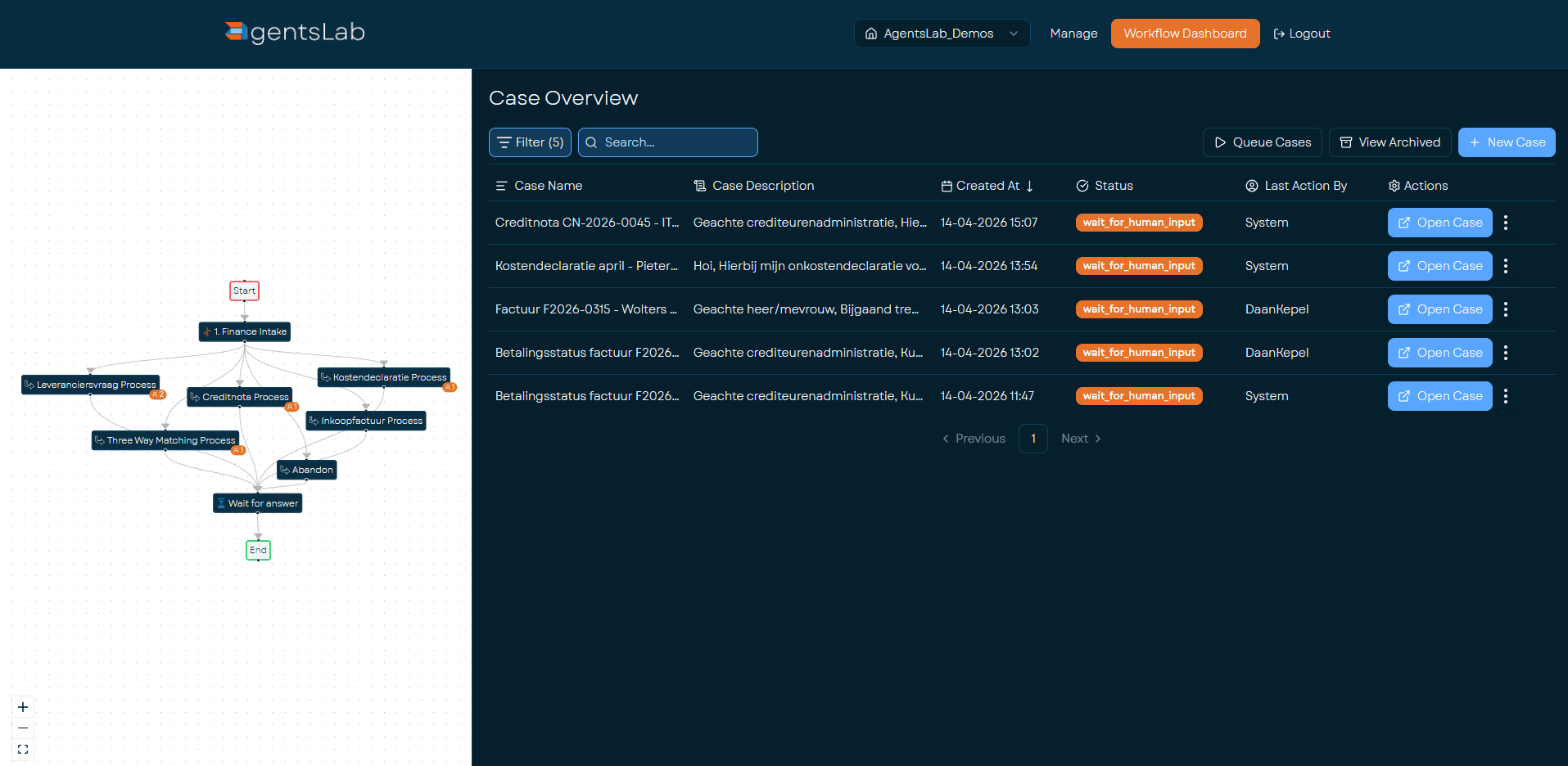
Case Overview
The work list of a single AI coworker. Filter by status, date or type and open a case directly. Next to the table sits the process diagram so you can see the steps and where cases are currently held.
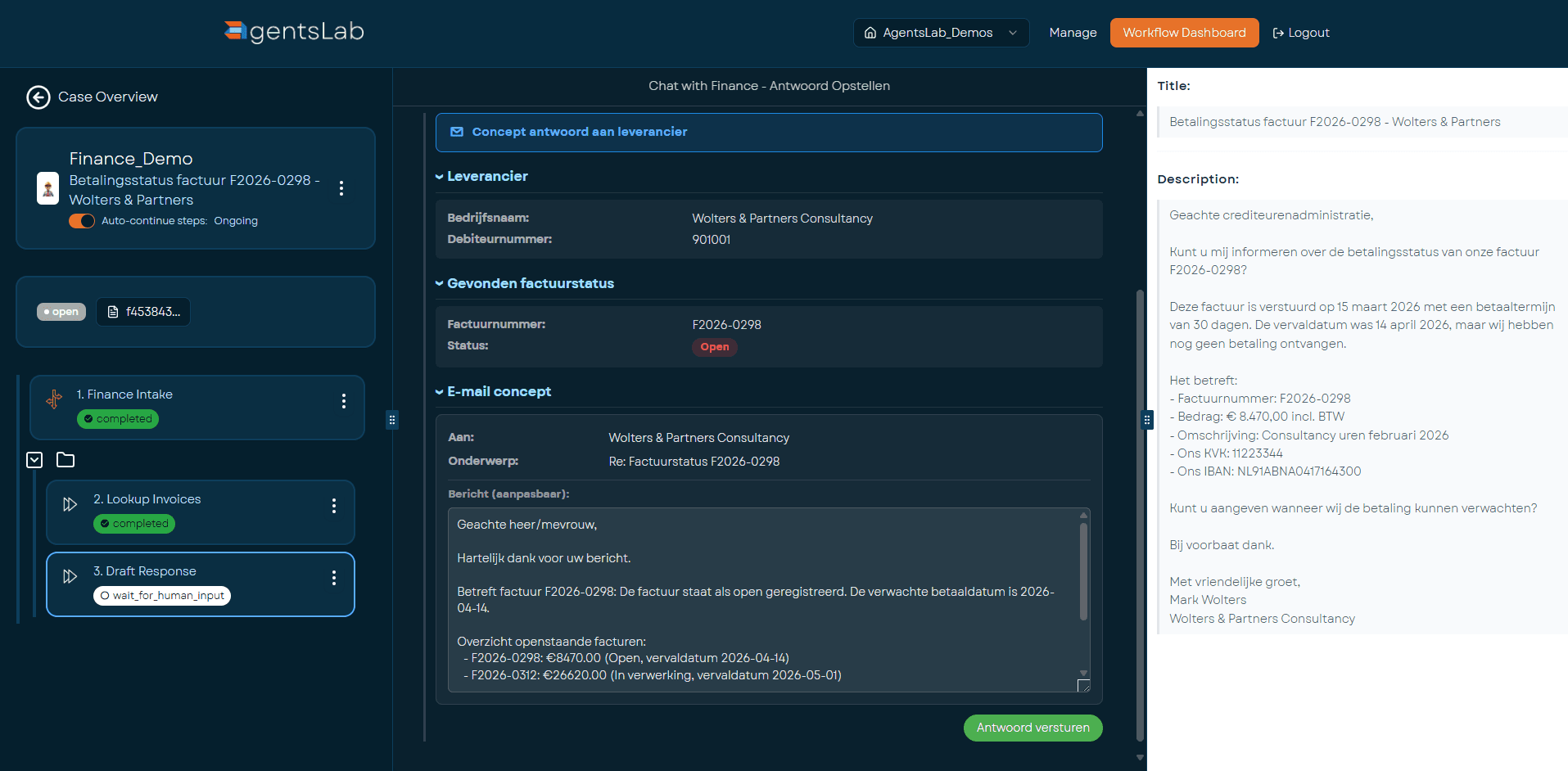
Case Details
The review screen. Flow on the left with the current step highlighted, extracted data in the middle, draft reply or proposed ERP action on the right. One click to approve or adjust, everything logged.
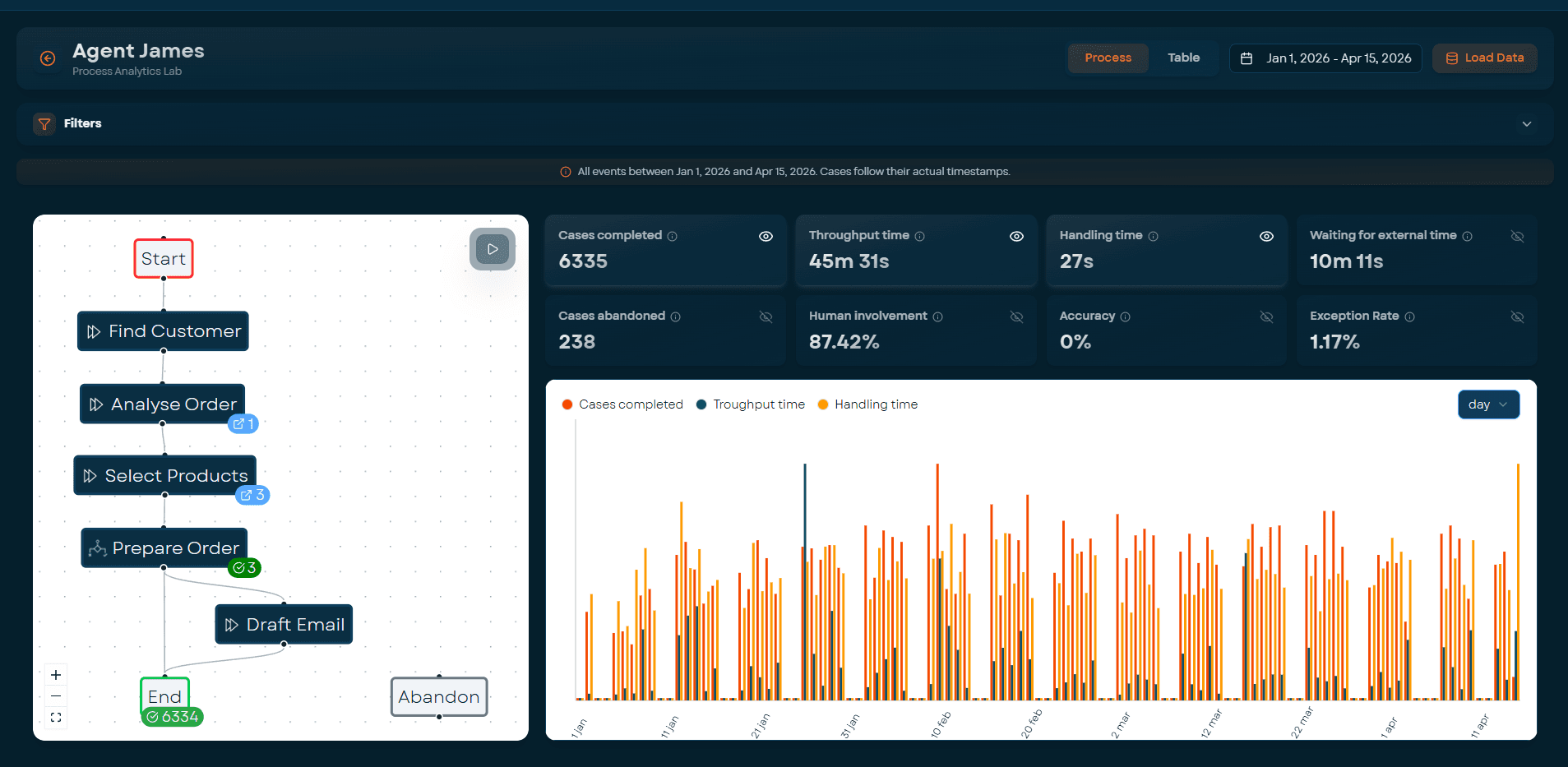
Process Analytics
Cases completed, throughput time, handling time, human involvement and exception rate per AI coworker over a chosen period. Process diagram on the left, KPI tiles on top, trend charts below. Input for continuous optimisation.
Scale up
Multiple processes, one platform
Start with one process, expand whenever you want. The integration with the target system is already in place. Every next process reuses that connection. One dashboard, one team, one contract.
75%
expand to additional processes
See the platform in action
We'd love to show you how the platform works for your process. Start with a no-commitment demo.